Managing recruitment can become difficult when applications come through different channels. You may receive CVs by email, source candidates through job boards and coordinate interviews over WhatsApp. Keeping track of every applicant and knowing where each vacancy stands can quickly become a challenge.
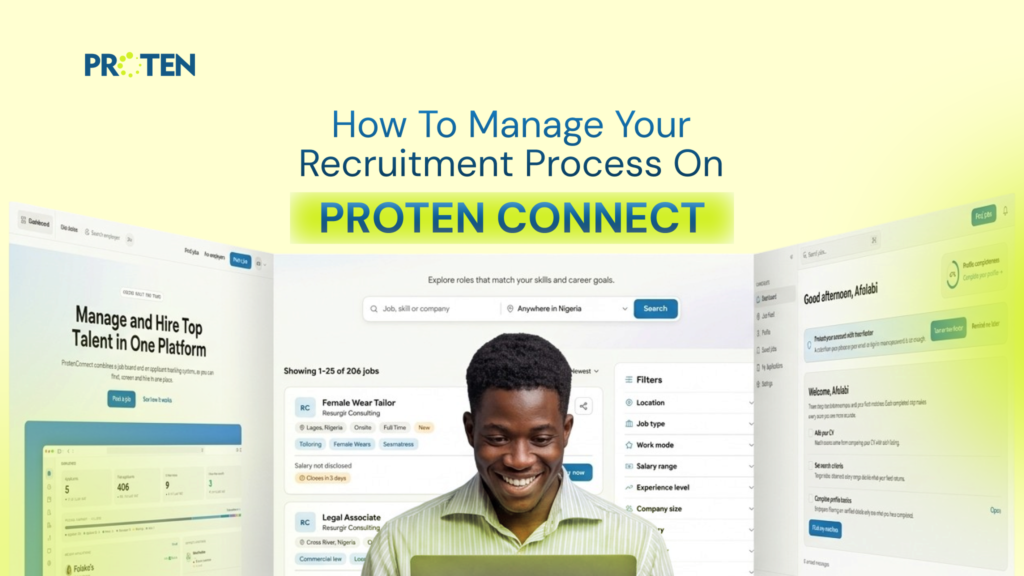
Proten Connect is a recruitment platform built by Proten International to help businesses and organisations manage their hiring process from one place. Employers can publish job vacancies, find suitable candidates, review applications and coordinate interviews without juggling multiple platforms.
Here is how to manage your recruitment process on Proten Connect.
How to Manage Your Recruitment Process on Proten Connect
Proten Connect provides a structured workflow that takes employers from publishing a vacancy to making a hiring decision.
1. Create Your Employer Account
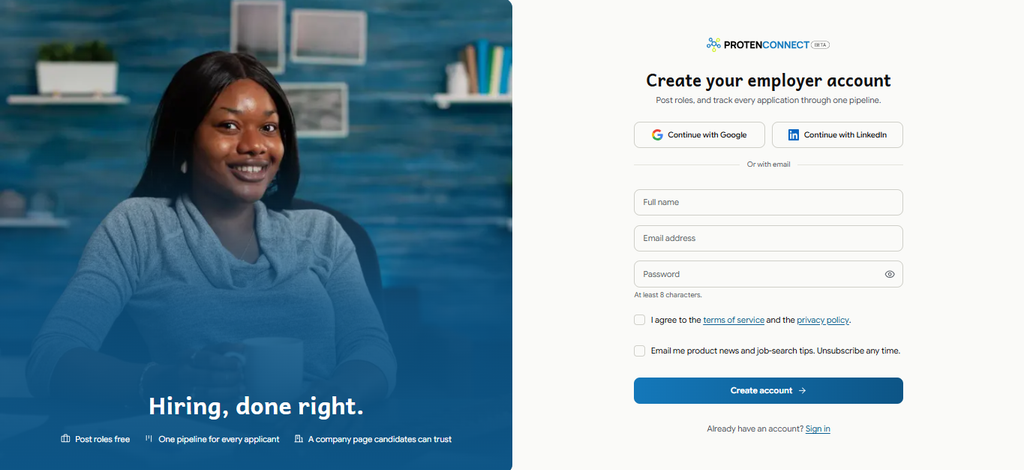
First, visit Proten Connect and create an employer account using your work email.
Once your account is ready, complete your company profile with the relevant organisation details.
Your company profile gives candidates information about the organisation behind the vacancy. Make sure the details are accurate and reflect your business.
With your account set up, you can begin publishing job openings.
2. Post Your Job Vacancy
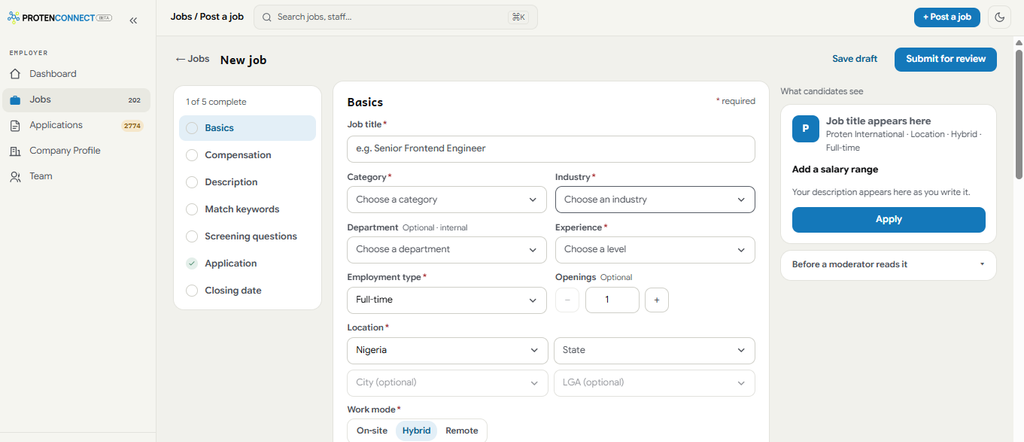
Before searching for candidates, you need to communicate what your organisation is looking for.
On Proten Connect, you can create a job listing by providing details about the vacant position.
Your job description should clearly explain:
- The job title and department.
- The responsibilities attached to the role.
- Required qualifications and experience.
- Technical skills and other relevant requirements.
- The location and nature of the role.
Be specific about what the successful candidate will be expected to do. Clear requirements help candidates understand whether they are suitable for the position.
After entering the job details, submit the vacancy for approval. Once approved, it can go live and reach candidates searching for opportunities across Nigeria and Africa.
3. Review Applications and Identify Suitable Candidates

Once your vacancy is published, applications can start coming in.
Manually reviewing every CV can take time, especially when you receive a high volume of applications.
Proten Connect helps simplify this stage through requirement matching. It assesses applicants against the requirements you set for the role, helping you identify candidates whose qualifications, experience, and skills align with the position.
You can also filter and evaluate candidates based on your technical requirements.
Use these details to identify applicants who meet your criteria and should be considered for the next stage.
4. Shortlist Candidates and Track Their Progress
After reviewing applications, decide which candidates should move forward.
Proten Connect’s applicant tracking system helps you manage candidates through different hiring stages from one dashboard.
You can organise applicants by their current status, including:
- Reviewing
- Shortlisted
- Interviewing
- Pending
This gives you a clear view of each candidate’s progress and helps you identify applications that need attention.
If you are recruiting for several positions at once, you can also monitor applicants across vacancies without searching through separate email threads or spreadsheets.
5. Schedule and Manage Interviews
Once you have shortlisted candidates, the next step is to arrange interviews.
Proten Connect includes interview management tools that allow you to schedule interviews and keep panel details and meeting links in one view.
You can also use in-app messaging to communicate directly with candidates about interview arrangements and other recruitment updates.
Before each interview, ensure that the interviewers understand the role requirements and the areas they need to assess. This helps everyone evaluate candidates against the same expectations.
6. Evaluate Candidates and Record Interview Feedback
After each interview, your hiring team needs a reliable way to assess candidates and compare their performance.
Proten Connect provides structured scorecards and panel notes to help document interview evaluations.
Use these tools to record how well each candidate demonstrates the skills and experience required for the position. This gives your team a reference point when reviewing applicants and deciding who should progress.
7. Make Your Hiring Decision
Once the interviews are complete, review the candidates’ qualifications, relevant experience and interview feedback.
Compare their performance against the requirements of the role before selecting your preferred candidate.
After reaching a decision, proceed with your offer and the necessary onboarding arrangements.
Tips for Managing Your Recruitment Process More Effectively

Using a recruitment platform helps organise your hiring activities. These practices can also help you avoid common delays and make better hiring decisions.
Define your requirements before publishing a vacancy.
Be clear about the qualifications, experience and skills required for the role. Vague job descriptions can attract applications from candidates who are not suitable.
Review applications regularly.
Set aside time to review new applications rather than allowing them to accumulate. This helps you identify suitable candidates early and prevents unnecessary delays.
Use consistent evaluation criteria.
Assess every candidate against the same job requirements. This makes comparisons fairer and helps your team make informed decisions.
Document interview feedback promptly.
Record your observations after each interview while the discussion is still fresh. This makes it easier to compare candidates when the hiring team meets to make a decision.
Pay attention to recruitment delays.
If candidates are spending too long at a particular stage, find out why. Delays in screening, interview scheduling or decision-making can affect the overall hiring timeline.
Manage Your Hiring Process on Proten Connect
Recruitment involves several moving parts, but managing them does not have to mean switching between different tools.
With Proten Connect, you can publish vacancies, review applications, shortlist candidates, and coordinate interviews from one platform.
Whether you are filling a single position or recruiting for multiple roles, Proten Connect gives your team a central place to manage the process.
Ready to organise your hiring process?
Create your employer account on Proten Connect and post your first job for free.